
Summary: Log in to your account at https://fluent-forever.com. If your subscription was activated via Apple or Google Play, you can find subscription details in the associated store.
You can find your subscription information and manage your account on our website portal, https://fluent-forever.com/.
All you need to do is log in:
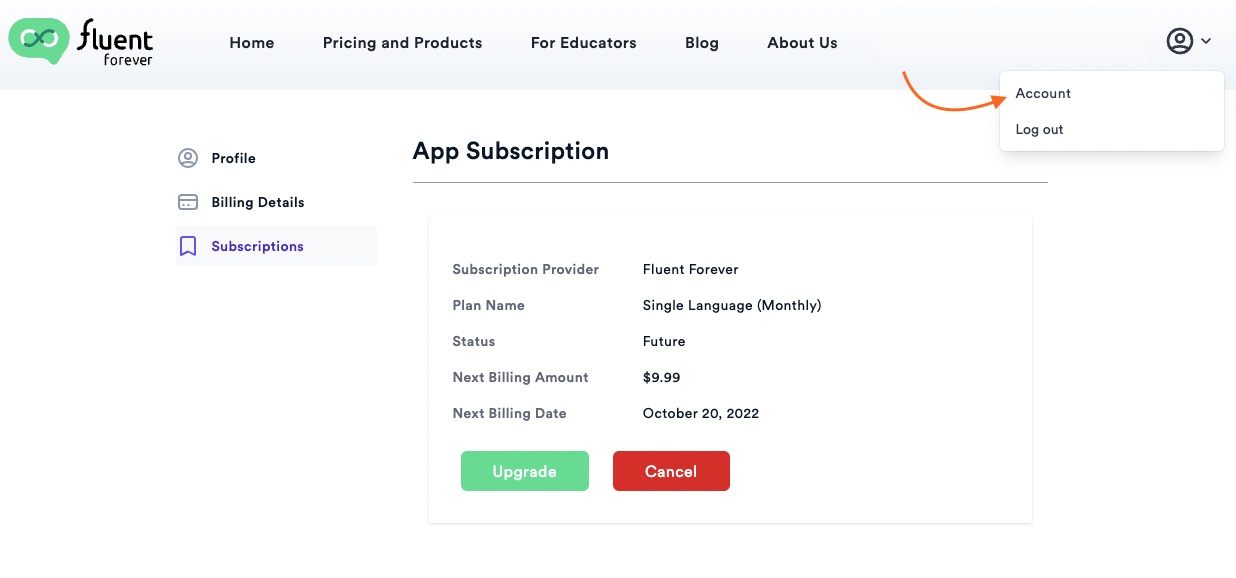
Once you log in, select your profile in the upper right corner and click on Account.
You’ll see all sorts of useful information such as your profile information and your billing details.
You’ll also be able to manage your billing address and your payment method, as well as upgrade or cancel your subscription:
 Managing App Store Subscriptions
Please note that if you purchased your subscription through the Apple App Store or Google Play Store, all billing and subscription management is handled directly by these platforms. You can see this article to see how to locate your subscription information for these stores.
Also see:
- I'm logged into my account but I can't see my subscription details... why?
- How do I cancel my Fluent Forever app subscription?